

[Apr-2024] CKA Exam Dumps - Free Demo & 365 Day Updates
Free Sales Ending Soon - Use Real CKA PDF Questions
The CKA exam is a hands-on, performance-based exam that requires candidates to perform tasks on a live Kubernetes cluster. CKA exam lasts for two hours and consists of 24 performance-based tasks. Candidates must complete all tasks within the allocated time frame to pass the exam. CKA exam is proctored, and candidates must have a webcam to ensure the integrity of the exam.
NEW QUESTION # 26
Score: 13%
Task
A Kubernetes worker node, named wk8s-node-0 is in state NotReady. Investigate why this is the case, and perform any appropriate steps to bring the node to a Ready state, ensuring that any changes are made permanent.
Answer:
Explanation:
See the solution below.
Explanation
Solution:
sudo -i
systemctl status kubelet
systemctl start kubelet
systemctl enable kubelet
NEW QUESTION # 27
Create a redis pod and expose it on port 6379
- A. kubectl run redis --image=redis --restart=Never --port=6379
YAML File :
apiVersion: v1
kind: Pod
metadata:
labels:
run: redis
name: redis
spec:
containers:
ports:
- containerPort: 6679
Rt restartPolicy: Alwaysf - B. kubectl run redis --image=redis --restart=Never --port=6379
YAML File :
apiVersion: v1
kind: Pod
metadata:
labels:
run: redis
name: redis
spec:
containers:
- image: redis
name: redis
ports:
- containerPort: 6379
Rt restartPolicy: Always
Answer: B
NEW QUESTION # 28
Check the Image version of nginx-dev pod using jsonpath
Answer:
Explanation:
kubect1 get po nginx-dev -o jsonpath='{.spec.containers[].image}{"\n"}'
NEW QUESTION # 29
Score: 4%
Context
You have been asked to create a new ClusterRole for a deployment pipeline and bind it to a specific ServiceAccount scoped to a specific namespace.
Task
Create a new ClusterRole named deployment-clusterrole, which only allows to create the following resource types:
* Deployment
* StatefulSet
* DaemonSet
Create a new ServiceAccount named cicd-token in the existing namespace app-team1.
Bind the new ClusterRole deployment-clusterrole lo the new ServiceAccount cicd-token , limited to the namespace app-team1.
Answer:
Explanation:
Solution:
Task should be complete on node k8s -1 master, 2 worker for this connect use command
[student@node-1] > ssh k8s
kubectl create clusterrole deployment-clusterrole --verb=create --resource=deployments,statefulsets,daemonsets kubectl create serviceaccount cicd-token --namespace=app-team1 kubectl create rolebinding deployment-clusterrole --clusterrole=deployment-clusterrole --serviceaccount=default:cicd-token --namespace=app-team1
NEW QUESTION # 30
For this item, you will havetosshto the nodesik8s-master-0andik8s-node-0and complete all tasks on thesenodes. Ensure that you return tothe base node (hostname:node-1) when you havecompleted this item.
Context
As an administrator of a smalldevelopment team, you have beenasked to set up a Kubernetes clusterto test the viability of a newapplication.
Task
You must usekubeadmto performthis task. Anykubeadminvocationswill require the use of the
--ignore-preflight-errors=alloption.
* Configure thenodeik8s-master-Oas a masternode. .
* Join the nodeik8s-node-otothe cluster.
Answer:
Explanation:
See the solution below.
Explanation
solution
You must use thekubeadmconfiguration file located at when initializingyour cluster.
You may use any CNI pluginto complete this task, but ifyou don't have your favouriteCNI plugin's manifest URL athand, Calico is one popularoption:https://docs.projectcalico.org/v3.14/manifests/calico.yaml Docker is already installedon both nodes and hasbeen configured so that you caninstall the required tools.
NEW QUESTION # 31
Scale the deployment to 5 replicas
Answer:
Explanation:
kubectl scale deployment webapp -replicas=5 //Verify kubectl get deploy kubectl get po,rs
NEW QUESTION # 32
Create an nginx pod and list the pod with different levels of verbosity
- A. // create a pod
kubectl run nginx --image=nginx --restart=Never --port=80
// List the pod with different verbosity
kubectl get po nginx --v=7
kubectl get po nginx --v=8
kubectl get po nginx --v=9 - B. // create a pod
kubectl run nginx --image=nginx --restart=Never --port=80
// List the pod with different verbosity
kubectl get po nginx --v=7
kubectl get po nginx --v=6
kubectl get po nginx --v=9
Answer: A
NEW QUESTION # 33
Create the nginx pod with version 1.17.4 and expose it on port 80
Answer:
Explanation:
kubectl run nginx --image=nginx:1.17.4 --restart=Never -- port=80
NEW QUESTION # 34
Create a redis pod, and have it use a non-persistent storage
(volume that lasts for the lifetime of the Pod)
- A. vim redis-pod-vol.yaml
apiVersion: v1
kind: Pod
metadata:
name: redis
spec:
containers:
- name: redis
image: redis
ports:
- containerPort: 6679
volumeMounts:
- mountPath: /data
name: redis-storage
volumes:
- name: redis-storage
emptyDir: {}
kubectl apply -f redis-pod-vol.yaml - B. vim redis-pod-vol.yaml
apiVersion: v1
kind: Pod
metadata:
name: redis
spec:
containers:
- name: redis
image: redis
ports:
- containerPort: 6379
volumeMounts:
- mountPath: /data
name: redis-storage
volumes:
- name: redis-storage
emptyDir: {}
kubectl apply -f redis-pod-vol.yaml
Answer: B
NEW QUESTION # 35
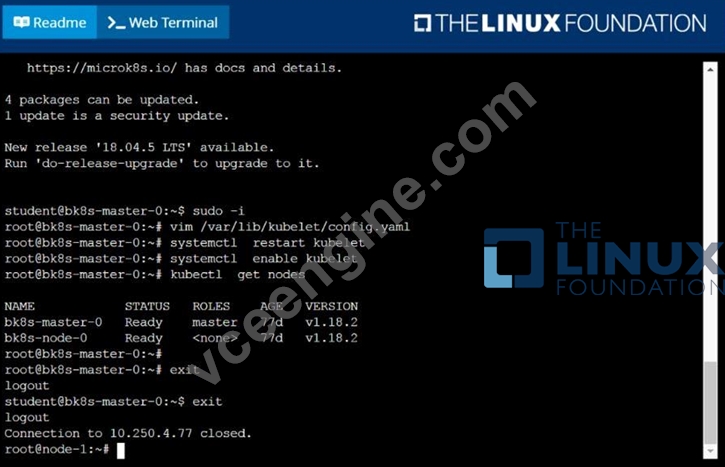
Given a partially-functioning Kubernetes cluster, identify symptoms of failure on the cluster.
Determine the node, the failing service, and take actions to bring up the failed service and restore the health of the cluster. Ensure that any changes are made permanently.
You can ssh to the relevant I nodes (bk8s-master-0 or bk8s-node-0) using:
[student@node-1] $ ssh <nodename>
You can assume elevated privileges on any node in the cluster with the following command:
[student@nodename] $ | sudo -i
Answer:
Explanation:
solution

NEW QUESTION # 36
Monitor the logs of pod foo and:
* Extract log lines corresponding unable-to-access-website
* Write them to/opt/KULM00201/foo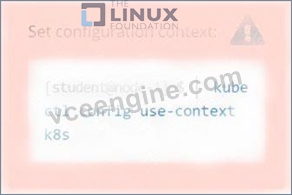
Answer:
Explanation:
See the solution below.
Explanation
solution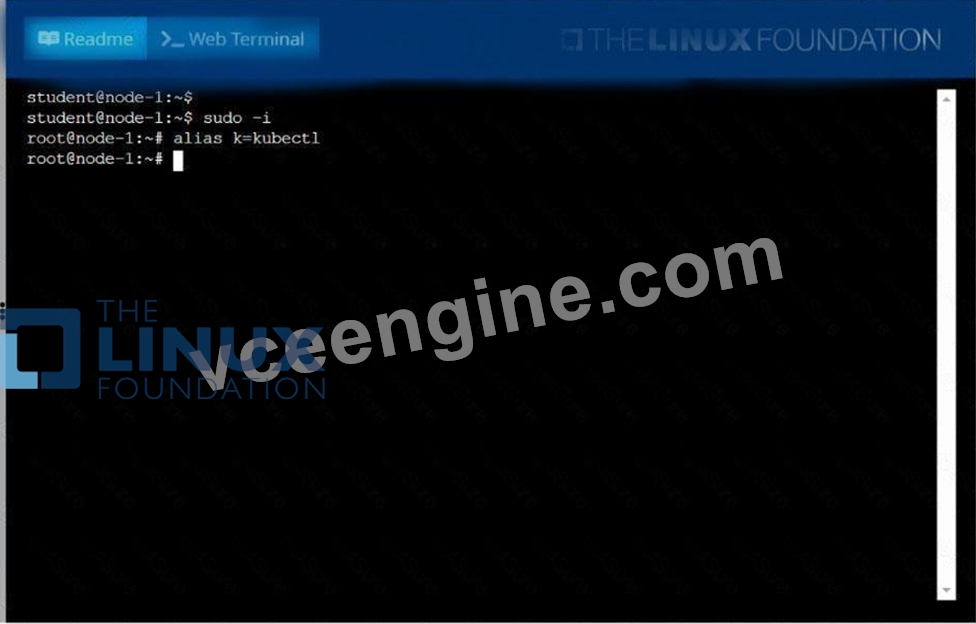

NEW QUESTION # 37
Task Weight: 4%
Task
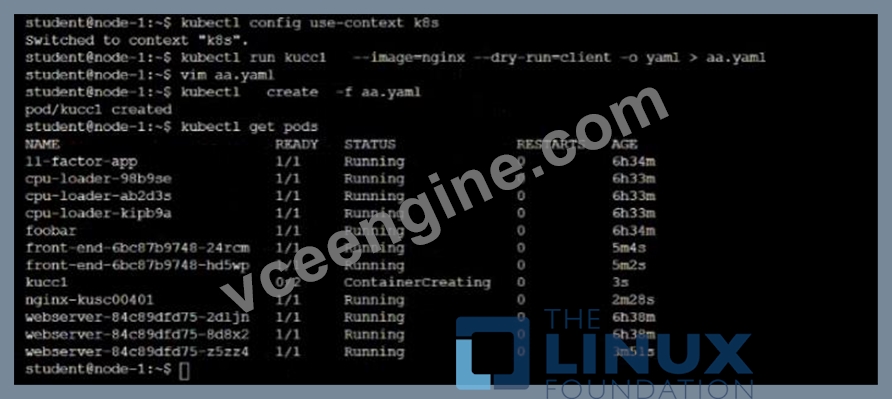
Schedule a Pod as follows:
* Name: kucc1
* App Containers: 2
* Container Name/Images:
o nginx
o consul
Answer:
Explanation:
Solution:

NEW QUESTION # 38
Add a taint to node "worker-2" with effect as "NoSchedule" and
list the node with taint effect as "NoSchedule"
- A. // Add taint to node "worker-2"
kubectl taint nodes worker-2 key=value:NoSchedule
.items[*]}{.metadata.name} {.spec.taints[?(
@.effect=='NoSchedule' )].effect}{\"\n\"}{end}" | awk 'NF==2
{print $0}' - B. // Add taint to node "worker-2"
kubectl taint nodes worker-2 key=value:NoSchedule
// Verify
// Using "custom-coloumns" , you can customize which coloumn to
be printed
kubectl get nodes -o customcolumns=NAME:.metadata.name,TAINTS:.spec.taints --no-headers
// Using jsonpath
kubectl get nodes -o jsonpath="{range
.items[*]}{.metadata.name} {.spec.taints[?(
@.effect=='NoSchedule' )].effect}{\"\n\"}{end}" | awk 'NF==2
{print $0}'
Answer: B
NEW QUESTION # 39
Create an nginx pod and list the pod with different levels of verbosity
Answer:
Explanation:
// create a pod
kubectl run nginx --image=nginx --restart=Never --port=80
// List the pod with different verbosity
kubectl get po nginx --v=7
kubectl get po nginx --v=8
kubectl get po nginx --v=9
NEW QUESTION # 40
Score: 5%
Task
From the pod label name=cpu-utilizer, find pods running high CPU workloads and write the name of the pod consuming most CPU to the file /opt/KUTR00401/KUTR00401.txt (which already exists).
Answer:
Explanation:
Solution:
kubectl top -l name=cpu-user -A
echo 'pod name' >> /opt/KUT00401/KUT00401.txt
NEW QUESTION # 41
......
CKA Dumps - Pass Your Certification Exam: https://www.vceengine.com/CKA-vce-test-engine.html
Latest Real Linux Foundation CKA Exam Dumps Questions: https://drive.google.com/open?id=1cwc4QA9ww6Xnwui22tuEcUMT_aCMUTfS
